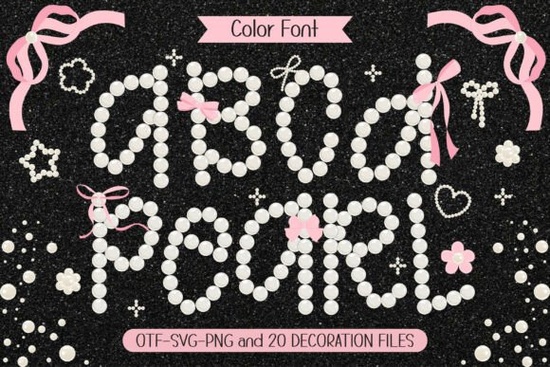
If you’ve been searching for a font that feels sweet, stylish, and just a little bit sparkly, you might want to take a closer look at Pearl. It’s not your average typeface it comes pre-colored in a soft white pearl tone with charming doodle accents like tiny pearls and pink ribbons tucked between the letters. Whether you’re designing T-shirts, custom name tags, party invites, or DIY stickers, this font adds a gentle girly vibe without being overwhelming.
What makes this playful option stand out is how effortlessly it blends elegance with fun. The letterforms are rounded and friendly, inspired by preppy handwriting but polished enough to feel refined. And because it’s a color font, you don’t need to manually add effects or overlays the shimmer and embellishments are built right in.
Who is this font actually good for?
If you run a small shop selling personalized gifts, make printable party decor, or create designs for print-on-demand platforms like Etsy or Redbubble, Pearl gives you an instant aesthetic upgrade. Think baby showers, bridal events, Valentine’s Day cards, or even back-to-school notebooks with cute names on them. The font doesn’t scream “girly” it whispers it, which makes it versatile for both kids and adults who appreciate delicate design touches.
Crafters love it too. Because the font includes decorative elements as part of the character set, you can drop in extra pearls or ribbons wherever you want no need to hunt for clipart or try to match styles. Just type, and the extras appear naturally alongside your text.
How do I use a color font like this?
Good question. Not all software handles color fonts the same way. Programs like Adobe Photoshop, Illustrator, Canva (Pro), Affinity Designer, and Silhouette Studio (Business Edition) support OpenType SVG fonts, which is what Pearl uses to display its built-in colors and graphics.
- Adobe users: Just install the font and start typing the color and doodles show up automatically.
- Canva Pro users: Upload the font file under “Brand Fonts,” then apply it like any other font.
- Silhouette Studio: Make sure you’re using Business Edition, then import and apply as normal.
If your software doesn’t support color fonts yet, you’ll still see the basic letter shapes just without the color or doodles. That’s why it’s always smart to test before committing to a big project.
Can I mix it with other fonts?
Absolutely. In fact, pairing Pearl with something clean and minimal like a thin sans-serif or classic serif creates beautiful contrast. Use Pearl for names, headlines, or accent words, and let a simpler font handle body text or supporting info. This keeps your design balanced and easy to read.
You can also layer it over soft pastel backgrounds or watercolor textures for a dreamy, feminine look. Try blush pinks, mint greens, or creamy whites they all complement the pearl tones beautifully.
What kinds of projects work best with this style?
Here are a few ideas to get you started:
- Personalized apparel: Baby onesies, teen tees, or matching mom-and-me sets.
- Party printables: Cupcake toppers, favor tags, banners, and place cards.
- Wall art & decals: Nursery quotes, inspirational phrases, or monogrammed initials.
- Digital planners & stickers: Cute headers, dividers, or decorative elements.
- Product packaging: Soap labels, candle jars, or boutique gift tags.
The key is to let the font’s personality shine without crowding it. Give it space, keep backgrounds simple, and avoid competing patterns.
Is there anything I should know before buying?
Yes while the font is gorgeous out of the box, make sure your tools can handle color fonts. Also, check the license. Most Creative Fabrica fonts come with a commercial license, so you’re free to sell physical products made with Pearl like printed shirts or mugs but you can’t resell the font file itself or include it in digital templates for resale unless you upgrade the license.
For full details, you can view the official listing here: Pearl Font.
What if I want more fonts like this?
There’s a whole world of playful, pre-styled fonts waiting for you. Look for keywords like “color font,” “doodle font,” or “handwritten with embellishments.” Many designers on Creative Fabrica specialize in girly, whimsical, or elegant script styles that pair well with Pearl. You might even find seasonal versions think glitter for holidays or florals for spring.
And don’t forget: mixing fonts from the same designer often gives you better visual harmony. If you love the vibe of Pearl, check out other releases from the same creator they usually share a similar aesthetic.
Quick checklist before you start:
- ✅ Confirm your design software supports color fonts (OpenType SVG).
- ✅ Test the font in a small mockup before launching a big project.
- ✅ Pair with a simple font for balance and readability.
- ✅ Stick to soft, light backgrounds to let the pearl effect pop.
- ✅ Review the license terms if you plan to sell your creations.
Start small maybe a single quote or name tag and see how you like working with it. Once you get the hang of it, you’ll probably find yourself reaching for Pearl again and again.
Learn More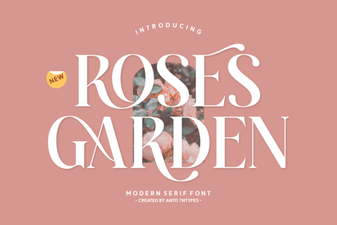 Beautiful Font Ideas for Your Rose Garden Projects
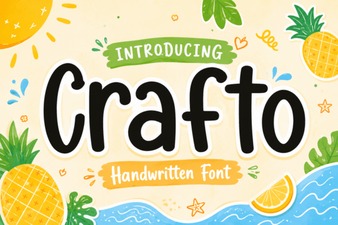 Crafto Font: Creative Projects & Design Ideas
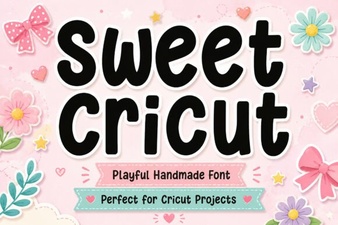 Creative Projects with Sweet Cricut Fonts
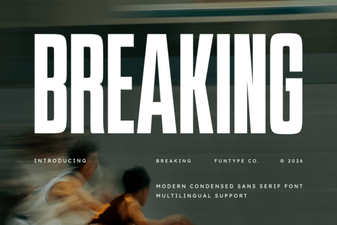 Break Typography Rules: Creative Font Design Projects
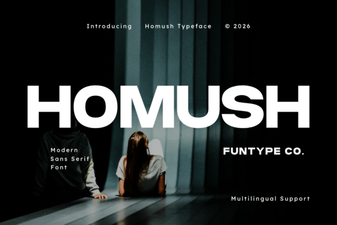 Homush Font: Stylish Display and Design Projects
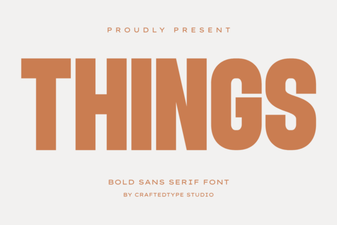 Creative Projects Using Icon Fonts