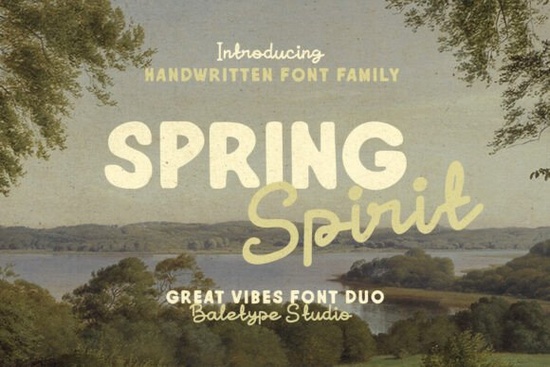
If you’re looking for a font that feels fresh, friendly, and handmade without being overly fussy, Spring Spirit Font might be just what your next project needs. It’s a handwritten font duo one bold sans serif and one smooth monoline script designed to work together or stand alone. Whether you’re making logos, quotes for social media, packaging, or print-on-demand shirts, this pair gives you flexibility with personality.
What makes Spring Spirit useful is how naturally the two styles complement each other. The sans serif has weight and presence great for headlines or names while the script adds movement and warmth, perfect for taglines or decorative accents. You don’t need to be a pro designer to make them look good together; they’re built to balance each other out.
Who actually uses fonts like this?
If you run a small business, sell on Etsy, or create digital products, you’ve probably scrolled through hundreds of fonts trying to find something that doesn’t look like everyone else’s. Spring Spirit avoids that trap. It’s not another overused brush script or stiff corporate sans. Instead, it sits in that sweet spot: casual but intentional, modern but human.
Crafters love it for vinyl cutting and sublimation projects because both fonts stay clean at small sizes. Print-on-demand sellers use it for mugs, totes, and greeting cards especially seasonal items with spring or summer themes. Even bloggers and newsletter creators slip it into headers or pull quotes to add visual texture without distracting from the message.
If you’ve liked the clean-but-playful vibe of fonts like Blush or Homush, you’ll feel right at home here. Spring Spirit shares that same approachable energy but brings its own rhythm.
Can I really use both fonts in one design?
Absolutely. That’s the whole point of the duo. Try pairing the bold sans for your main headline and the script underneath for a supporting phrase like “Fresh Starts” in the sans, and “blooming now” in the script. Or flip it: let the script lead as a hero line, then anchor it with the sans for clarity.
Here’s how some users have combined them:
- Branding: Business name in the sans, tagline in the script.
- Social graphics: Quote in script, attribution or CTA in sans.
- Product labels: Product name in bold sans, description or flavor note in script.
- Wedding invites: Names in script, date/location in sans for readability.
The key is contrast. Because one font is structured and the other flows, they create visual hierarchy without clashing. You don’t need fancy layout skills just pick which element should grab attention first, and let the fonts do the rest.
How does it compare to other handwritten duos?
Not all font pairs play nicely together. Some feel forced, like they were thrown into a bundle just to meet a trend. Spring Spirit was clearly designed as a system. The weights match, the x-heights align, and the spacing feels consistent across both styles.
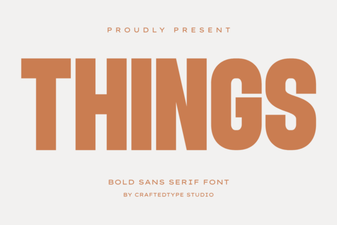
If you’ve tried Grandeur or Things and liked their versatility, you’ll appreciate how Spring Spirit follows that same thoughtful pairing logic. But where those lean more editorial or minimalist, Spring Spirit leans into warmth and spontaneity like handwriting you’d see on a well-loved recipe card or a chalkboard sign outside a neighborhood café.
It also includes basic punctuation, numerals, and multilingual support for Western European languages, which isn’t always guaranteed with handwritten fonts. That makes it more practical for real-world use, not just decorative mockups.
What file formats come with it?
You’ll get both OTF and TTF files for each font so whether you’re working in Adobe apps, Canva, Silhouette Studio, or even older programs, you’re covered. No web fonts included, but if you’re using it for print, merch, or static graphics, that won’t matter.
Installation is straightforward: unzip, install both fonts to your system, and they’ll show up side by side in your font menu. Most design tools will let you toggle between them quickly once they’re active.
Any tips for getting the most out of these fonts?
Yes don’t overdo the script. It’s tempting to use the flowing style everywhere because it looks so nice, but its strength is in contrast. Let the sans serif carry the heavy lifting for body text or longer phrases. Save the script for moments that need charm or emphasis.
Also, try tracking (letter-spacing) adjustments. The script can feel tight at small sizes bumping up the spacing slightly helps legibility. The sans serif can handle tighter tracking if you need to fit more in a narrow space.
And if you’re layering text over photos or textured backgrounds, stick with the bold sans. Its solid strokes hold up better than delicate scripts in low-contrast situations.
For more ideas on how handwritten fonts can bring personality to branding without sacrificing professionalism, check out this Spring Spirit Font gallery seeing real examples often sparks better ideas than staring at a blank canvas.
Quick checklist before you start:
- Install both fonts (sans + script) so you can switch easily.
- Use the script sparingly it’s the accent, not the foundation.
- Adjust letter-spacing if things feel cramped, especially in the script.
- Pair with simple, clean layouts let the fonts shine without competing elements.
- Test print or export early to see how it looks in your final medium.
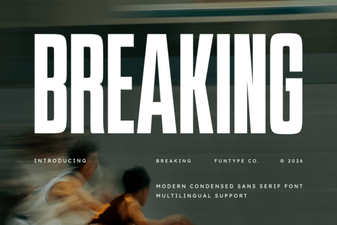 Break Typography Rules: Creative Font Design Projects
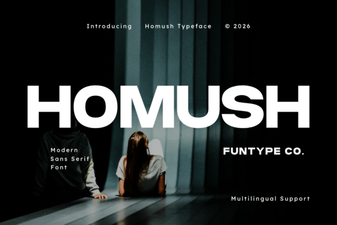 Homush Font: Stylish Display and Design Projects
 Creative Projects Using Icon Fonts
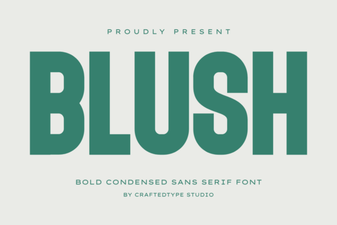 Blush Font: Elegant Script for Modern Designs
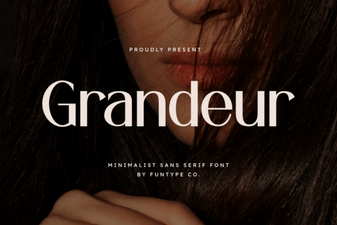 Grandeur Font for Elegant Designs & Creative Projects
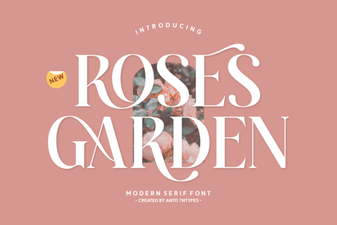 Beautiful Font Ideas for Your Rose Garden Projects