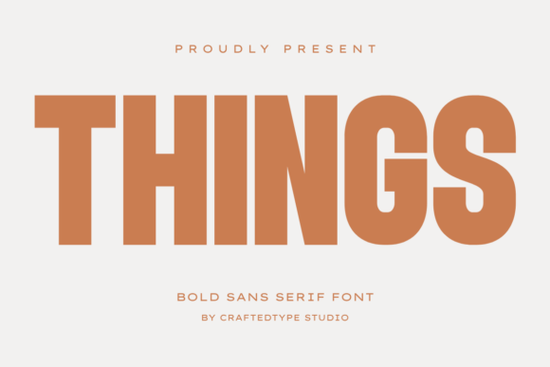
If you’ve been searching for a bold sans serif that holds its own on t-shirts, posters, or packaging without feeling overdesigned, Things Font might be exactly what your project needs. It’s clean, tall, and spaced just right not too tight, not too loose which makes it easy to read even when scaled down or printed small. Whether you’re designing merch for Etsy, branding a new coffee line, or putting together film title mockups, this font adapts quietly but confidently.
It pairs especially well with minimalist layouts. Think of it as the quiet friend in your font folder who shows up looking polished every time. You don’t need to tweak kerning much, and because it comes in both OTF and TTF formats, compatibility isn’t an issue whether you’re using Illustrator, Canva, or Affinity Designer. Plus, full PUA encoding means all the special characters and alternates are ready to use without extra plugins or digging through glyph panels.
What kinds of projects does Things Font work best for?
Here’s where it shines:
- Print On Demand Mugs, tote bags, phone cases. The bold weight reads clearly even on curved surfaces.
- Film and video titles Clean lines help text stay legible over moving backgrounds.
- Modern logos and branding Especially if you’re going for something sleek but not sterile.
- Crafting and DIY projects Vinyl cutters and Cricut machines handle it without fuss.
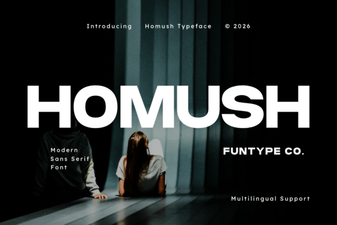
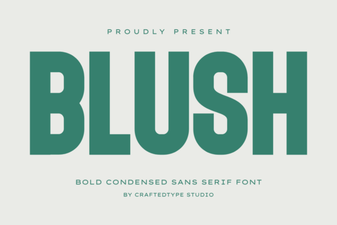
If you liked how Homush feels structured but want something with more presence, Things strikes that balance. It’s bolder than Blush, less angular than Breaking, and sits comfortably between playful and professional kind of like Grandeur, but with tighter spacing and taller x-height.
Is it beginner-friendly?
Absolutely. You don’t need to be a typography expert to make it look good. The letterforms are consistent, so even if you’re just starting out with design software, you won’t fight with alignment or readability. And since most Print On Demand platforms accept TTF files directly, there’s no conversion hassle.
One thing to note: because it’s a tall font, avoid stacking too many lines vertically unless you adjust leading. A little extra space between lines keeps things airy instead of cramped. For logos or short headlines, though, you can go tight it actually enhances the modern vibe.
How does it compare to other bold sans serifs?
Compared to heavier display fonts, Things doesn’t overwhelm. It’s got enough weight to stand out on a busy background (like patterned tote bags or textured posters) but doesn’t shout. That’s why it works for both commercial branding and personal crafts it doesn’t lock you into one aesthetic.
If you’ve used Things before, you know it plays nice with script fonts too. Try pairing it with something handwritten for contrast like using it for product names while letting a softer script handle taglines or descriptions.
Any tips for getting the most out of it?
- Use all caps sparingly. The uppercase letters are strong but can feel heavy in long sentences. Reserve them for headers or single words.
- Try dark-on-light AND light-on-dark. It performs equally well reversed out on dark backgrounds great for night market posters or moody Instagram graphics.
- Scale it big. This font loves white space. Give it room to breathe, especially in packaging or signage.
- Check character support early. While PUA encoded, always test special glyphs (like arrows or ornaments) before finalizing client work.
You’ll find similar versatility in this collection, where Things sits alongside other balanced sans serifs suited for real-world use not just mockups.
Who should skip this font?
If you’re working on something that needs ultra-thin hairlines, vintage charm, or calligraphic flair, this isn’t your pick. Things is built for clarity and impact, not ornamentation. It also doesn’t include lowercase alternates or swashes it’s intentionally straightforward. That’s not a flaw; it’s a feature for people who want efficiency over embellishment.
Final thought: If your last font choice felt either too stiff or too casual, Things might be the middle ground you didn’t know you needed. It doesn’t try to be everything and that’s why it works so well when you need something reliable, readable, and quietly stylish.
Next step: Open your current project file. Try swapping in Things for your main headline or product name. See how it changes the tone often, the right font doesn’t scream for attention. It just makes everything else look better.
Learn More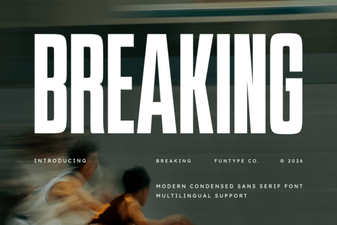 Break Typography Rules: Creative Font Design Projects
 Homush Font: Stylish Display and Design Projects
 Blush Font: Elegant Script for Modern Designs
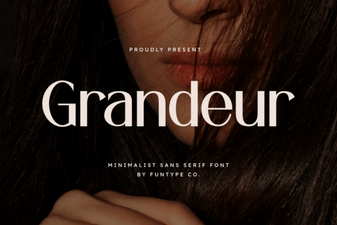 Grandeur Font for Elegant Designs & Creative Projects
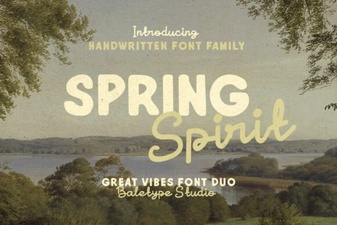 Unveiling the Spring Spirit Font: Creative Uses & Tips
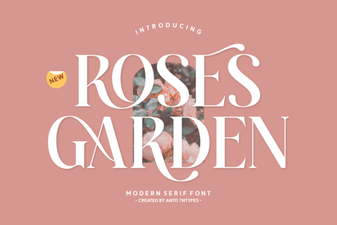 Beautiful Font Ideas for Your Rose Garden Projects