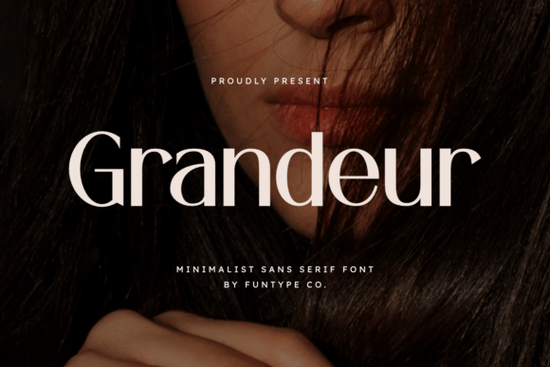
If you’re looking for a sans serif font that feels both modern and commanding, Grandeur Font might be exactly what your next project needs. It’s built with clean lines and a solid structure not flashy, but confident. Whether you’re designing logos for boutique brands, crafting bold social media graphics, or laying out editorial headlines, this font holds its own without shouting.
What makes Grandeur stand out is how it balances weight and white space. The letters don’t feel crowded, even at large sizes, which is why it works so well in luxury branding or fashion contexts. You’ll find it especially useful if you’ve struggled with fonts that look great small but fall apart when scaled up Grandeur stays crisp and intentional no matter the size.
Who should consider using Grandeur?
This isn’t just for professional designers. If you run a print-on-demand shop or manage branding for a small business, Grandeur gives your materials an instant upgrade in polish. Crafters who make digital planners, quote posters, or merch mockups will also appreciate how effortlessly it pairs with minimalist layouts.
- Logo designers Its geometric precision helps logos feel timeless.
- Social media creators Bold enough to stop scrolls, clean enough to stay classy.
- Small business owners Use it on packaging, signage, or email headers for consistency.
- Hobbyists Even if you’re just making birthday invites or wall art, Grandeur adds quiet authority.
How does it compare to other minimalist sans serifs?
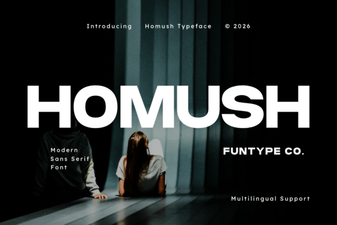
Minimalist doesn’t always mean interchangeable. For example, if you’ve used Homush, you know it leans softer and more rounded great for wellness or lifestyle brands. Grandeur, by contrast, is all sharp angles and grounded presence. Think of it as the difference between a linen shirt and a tailored blazer.
You might also like Spring Spirit if you need something airy and playful, or Blush for feminine, delicate projects. And if you’re working on something edgy or urban, Breaking brings more texture and grit. Grandeur sits in the sweet spot between those extremes strong but never harsh, modern but never cold.
What file formats come with the download?
You get both OTF and TTF files, so compatibility isn’t an issue whether you’re using Adobe apps, Canva, Affinity, or even older software. No plugins or converters needed. Just install and start typing. The files are cleanly organized, and kerning pairs are well-tuned meaning you won’t have to manually adjust spacing between awkward letter combinations like “AV” or “To.”
Can I use it commercially?
Yes. Once you download Grandeur, you’re cleared to use it across client work, merchandise, branding, and digital products. There’s no need to credit the designer or track usage limits which is a relief if you’re juggling multiple projects or selling designs online. Just make sure you’re downloading from Creative Fabrica directly to ensure you’re covered under their standard commercial license.
Any tips for pairing it with other typefaces?
Grandeur plays well with thin scripts or light serifs for contrast. Try setting body text in a neutral serif like Lora or Merriweather while letting Grandeur handle headlines. Avoid pairing it with other heavy sans serifs the visual weight can clash. If you want to keep everything minimalist, go with a lighter weight of Grandeur (if available) or try combining it with a simple monospace font for tech or editorial layouts.
Pro tip: When using Grandeur for logos or wordmarks, bump up the tracking slightly. The extra breathing room lets each letterform shine without losing impact.
Where else can I use this beyond print and web?
Think embroidery digitizing, laser cutting templates, vinyl decals, or even 3D modeling text. Because the strokes are solid and consistent, Grandeur converts well into physical formats. Just make sure your output resolution is high enough low-res exports can blur those clean edges.
Also worth noting: it scales beautifully for large-format prints like banners or storefront signage. No pixelation, no distortion. That reliability matters if you’re investing in physical materials or client deliverables.
Quick checklist before you start:
- Install both OTF and TTF to test which works better in your software.
- Try uppercase for logos, lowercase for subheadings see what feels right.
- Pair with ample negative space. Grandeur thrives when it’s not competing for attention.
- Check licensing if reselling templates most POD platforms accept Creative Fabrica’s terms.
If you’re still browsing options, take five minutes to test Grandeur next to your current go-to font. Sometimes the best upgrade isn’t about switching styles it’s about finding a version of what you already love, just sharper, cleaner, and more dependable.
Try It Free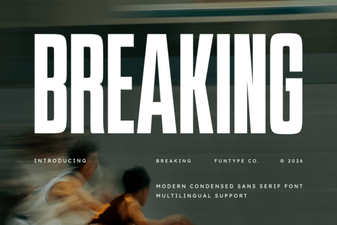 Break Typography Rules: Creative Font Design Projects
 Homush Font: Stylish Display and Design Projects
 Creative Projects Using Icon Fonts
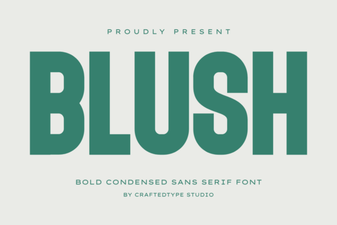 Blush Font: Elegant Script for Modern Designs
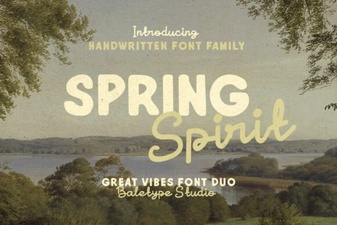 Unveiling the Spring Spirit Font: Creative Uses & Tips
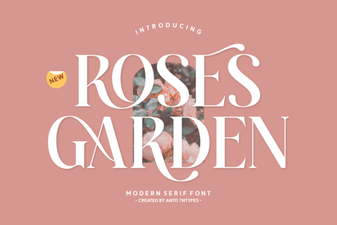 Beautiful Font Ideas for Your Rose Garden Projects